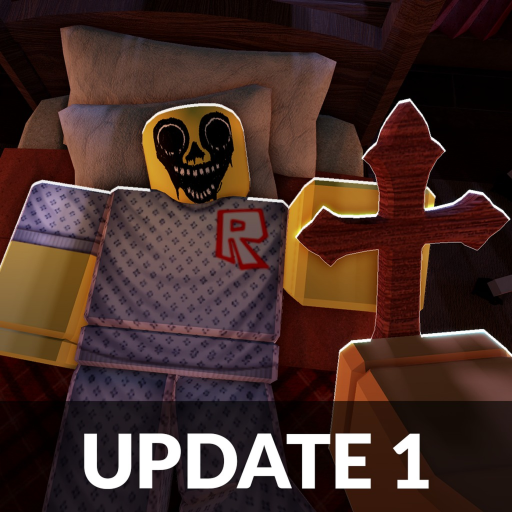
Welcome to the Night At The Infirmary Wiki
Night At The Infirmary is a tense Roblox horror experience where a single wrong admission can end your shift in seconds. This wiki exists to give you structured, searchable answers instead of scattered Discord threads or unverified clips. Every page is organized around how you actually play: inspect patients at the reception window, compare printed photos, review CCTV feeds, and reject anomalies before they become Skinwalkers inside the infirmary.
Whether you are opening the game for the first time or grinding late-night shifts under the live UPD 3 title, you will find step-by-step guides, class perk tables, tell catalogs, interactive tools, and walkthrough routes that match the current beta build. We link heavily between topics so you can jump from classes to visual tells to the first night walkthrough without losing context. Bookmark this hub and treat it as your night-shift briefing room.
The wiki covers gameplay mechanics, anomaly identification, community resources, patch notes, and reference pages for map layout, items, and events. Content is written from in-game testing and curated community reports — not machine-translated filler. When the beta changes, we update guides and reference pages together so nothing contradicts the live build.
What Is Night At The Infirmary?
Night At The Infirmary is a Roblox horror game developed by A.D. Games, currently in active beta under the live UPD 3 title. Mechanical systems still reflect the UPD 2 class update: verify arrivals, treat patients on the ward, manage Sanity, and unlock classes with Shards. Some visitors are anomalies — dangerous imposters. Catch them at the desk with three inspection layers, or neutralize them inside with the Wooden Crucifix.
The core loop blends paperwork horror with surveillance tension. You study each patient through the live window view, snap and compare a printed identification photo, and cross-check CCTV camera feeds covering the entrance and hallways. A single confirmed red flag on any layer means you hit the shutter reject button. Admit only when window, photo, and CCTV all agree the visitor is human. Hesitation or skipped steps are how beta players lose nights to Skinwalkers already inside the building.
Difficulty escalates across nights. Early shifts teach basic visual tells like wrong eye count or unnatural stillness. Later nights stack photo-only mismatches, camera-only void silhouettes, and multi-layer anomalies that look almost normal at the desk. Sanity drains when you stare at cursed photos or disturbing feed events, so experienced players learn efficient check order rather than inspecting every layer on every patient when they already see a window-layer tell.
You can launch the experience on Roblox place ID 101610294550592. As of July 28, 2026 the game sits near 18.6 million visits and 219K favorites with ~8.8K concurrent during peaks. Redeem UPD3 and UPD2 on codes for 500 Shards. Cross-check UPD 3 notes, the July 28 status, the UPD 2 class notes, the classes guide, and the game info hub when a shift feels different from what you remember.
Quick Start for New Players
If you have never worked a night shift at the infirmary, follow this short route before queueing into a live game. First, read the controls page so you know how to focus the window, take photos, switch CCTV channels, and press the shutter reject button without fumbling mid-queue. Second, skim how to play for the full shift loop from first patient to payout. Third, run the first night walkthrough while keeping visual tells open in a second tab.
Memorize one rule before anything else: detection is an OR check. One confirmed anomaly tell on any layer means reject. You do not need two or three matching signs. Rejecting a real patient wastes a little time; admitting an anomaly plants a Skinwalker inside the infirmary. When in doubt, re-check the photo and CCTV, then reject. That mindset prevents more failed nights than any advanced tell list.
Anomaly Detection Hub
Anomaly identification is the skill that defines Night At The Infirmary. The game forces a deliberate three-layer verification system because no single viewpoint tells the whole truth. A patient can look fine at the window, fail the photo comparison, and still look different again on CCTV. The wiki splits tell knowledge across focused pages so you can study one layer at a time or look up a specific symptom during a shift break.
Layer 1 — Window visual check: Inspect the live patient through reception glass. Scan eyes, teeth, skin tone, posture, proportions, and movement. Many anomalies expose themselves here with hollow sockets, sharp teeth, wrong proportions, or grins that do not match human anatomy. See the visual tells guide for the full list.
Layer 2 — Photo print check: Snap an identification photo and compare the printed still against the patient in front of you. Photo-only tells include feature mismatches, grainy static textures, cursed images with bloodshot eyes, and horns or extra eyes not visible at the window. Read the photo tells page before your first night.
Layer 3 — CCTV camera check: Switch to security feeds covering the entrance, hallway, and waiting area. Camera-only anomalies include void-black bodies, stretched limbs, black boxes over eyes, and figures that stare directly into the lens. Use the camera tells guide for feed-specific red flags.
Reject with the shutter if any layer confirms an anomaly. For procedural help applying these layers during gameplay, pair this hub with how to detect anomalies and the interactive anomaly checklist tool.
Guides Grid
Our guides hub collects every gameplay tutorial you need to survive from your first shift through late-game anomaly hunts. Each guide below goes deep on one core skill with step-by-step workflows, internal links to reference pages, and FAQs tested against the current UPD 2 beta build.
- How to Play — Controls, desk workflow, and one full shift from first patient to payout. Start here if you have never worked the reception desk.
- Beginner Guide — What to prioritize on nights one through three when everything feels overwhelming. Learn which tells matter early and which systems you can ignore temporarily.
- How to Detect Anomalies — The three-layer window, photo, and CCTV check with tell categories, efficient inspection order, and sanity-saving habits.
- How to Reject Patients — Shutter timing, false rejects, queue management, and how to keep calm when multiple patients stack at the window.
- How to Survive Shifts — Sanity management, solo versus squad roles, and recovering when your team makes the wrong admission call.
- How to Beat Anomalies — Fighting admitted imposters and Skinwalker encounters mid-shift, plus prevention tips so you rarely need combat tools.
- Classes Guide — All nine UPD 2 classes, Shards costs, Level 1–3 perks, and best picks for solo or squad.
- Sanity System — How Sanity drains and recovers, and which class perks keep long nights alive.
New players should read how to play first, redeem UPD2 on codes, then follow the first night walkthrough while keeping anomaly reference pages open.
Walkthrough & Nights
Guides teach skills; walkthroughs teach timing. The walkthrough hub maps every documented night route so you know what to expect before queueing into a harder shift. Early nights introduce basic visual tells and forgiving queue pacing. Mid-game nights stack photo mismatches and camera-only skinwalkers. Late nights punish skipped inspection steps and reward teams that split desk roles cleanly.
Start with the first night walkthrough if you are brand new — it walks through your opening shift step by step with links to the exact tell pages you need at each patient. When you want a broader pacing reference, the all nights walkthrough describes when new tell families tend to appear across the beta. For story outcomes and end-of-run branches, see the ending walkthrough.
Pair walkthroughs with the map page so you know where CCTV monitors, treatment rooms, and emergency items sit before queue pressure builds. If a night feels harder than the walkthrough suggests, check UPD 3, the July 27 status, and UPD 2 class notes — beta patches sometimes rebalance tell frequency or desk UI between releases.
UPD 3 Update Spotlight
On July 27, 2026 the Roblox listing renamed to [UPD 3] Night At The Infirmary (Anomaly). This is a live title rebrand — not a confirmed mechanical overhaul yet. Class systems, Shards shop, and desk flow still match the UPD 2 build: nine classes, Level 1–3 progression, and the verified UPD2 code for 250 Shards. As of July 27 the experience sits near 17 million visits, 207K favorites, and ~8.1K concurrent during peaks.
Read the UPD 3 patch notes, the July 27 status, the UPD 2 class notes, the classes guide, and the Skinwalkers page. Browse the updates hub and videos hub for walkthrough embeds.
Verified YouTube walkthroughs are embedded on guide pages and cataloged on the videos hub. Report new tells on our Discord page — verified findings join the all types catalog.
Codes & Community
The active July 2026 code is UPD2 for 250 Shards — redeem in Shop → Codes, then spend toward classes. Our codes page lists active and expired strings with exact redeem steps. Ignore fake strings like NIGHTSHIFT or TRUSTNOONE.
Join the conversation on our Discord page for squad recruitment, shift reports, and beta feedback threads. The Trello page links community bug and tell tracking used by experienced players to catalog anomalies still being confirmed. Seasonal or experimental modifiers are documented on the events page when they affect patient pacing, lighting, or queue behavior.
The wiki stays independent and gameplay-focused. We curate community findings into structured guides rather than dumping raw chat logs — start with Discord or Trello for raw reports, then return here for organized reference material.
Tools & Scripts
Sometimes you need a structured checklist instead of scrolling long tell articles mid-shift. The tools hub hosts interactive helpers built around the same three-layer logic as our anomaly guides. The flagship anomaly checklist tool walks you through window, photo, and CCTV checks in order so you do not skip a layer under queue pressure.
Our scripts page documents community automation helpers, overlay tools, and quality-of-life utilities players ask about — with clear notes on what is allowed, what risks account action, and what is pure scam bait. We do not host executors or exploits. Read the page before installing anything a random YouTube short advertises.
Tools supplement guides; they do not replace learning tells. Use the checklist until the inspection order feels automatic, then rely on the anomaly hub for identifying specific symptoms you have not memorized yet.
Frequently Asked Questions
Players ask the same core questions every beta weekend — which guide to read first, how the three-layer check works, whether rejecting on doubt is correct, and how often UPD patches change tell lists. The FAQ section below answers those recurring questions in plain language. For deeper walkthroughs, follow the internal links inside each answer to the relevant guide or reference page.
If your question is not covered here, search the guides hub or ask on Discord. We add new FAQ entries when the same topic surfaces repeatedly after patch drops.
Full Site Index
Browse every page on the wiki by category. All links use trailing slashes and open the English locale path — switch language from the site header when available.
Guides
- Guides Hub
- How to Play
- Beginner Guide
- How to Detect Anomalies
- How to Reject Patients
- How to Survive Shifts
- How to Beat Anomalies
- Classes
- Sanity System
Anomalies
Walkthroughs
Game Reference
Updates & Community
- Updates Hub
- UPD 3 Patch Notes
- July 27 Status
- UPD 2 Patch Notes
- July 26 Status
- UPD 1 Patch Notes
- Skinwalkers
- Codes
- Discord
- Trello
Tools
Legal
Frequently Asked Questions
What is Night At The Infirmary on Roblox?
Night At The Infirmary is a beta horror game by A.D. Games where you work a night shift at a human infirmary reception desk. You inspect patients through window, photo, and CCTV layers and reject anomalies before they enter as Skinwalkers.
Where should I start on this wiki?
New players should read the controls page, then how to play, then follow the first night walkthrough. Keep visual tells open in a second tab during your first live shift.
What is the three-layer anomaly check?
Inspect the live patient at the window, compare their printed photo, and review CCTV feeds. If any layer shows a confirmed red flag, reject with the shutter button. Admit only when all three layers agree.
Is it better to reject a patient I am unsure about?
Yes. Rejecting a real patient wastes a little time, but admitting an anomaly spawns a Skinwalker inside the infirmary. When in doubt, re-check the photo and CCTV, then reject.
Which anomaly page should I read first?
Start with visual tells since the window check comes first in the loop, then photo tells and camera tells. Use the all-types page as a master index when you are not sure which symptom you saw.
Are guides and tells updated for UPD 3?
Yes. Wiki content targets the current beta build under the UPD 3 title. Class perks and codes still follow UPD 2 — check UPD 3 notes, July 27 status, UPD 2 class notes, and Discord after major patches in case tell frequency or desk UI changed.
Does the wiki have interactive tools?
Yes. The anomaly checklist tool mirrors the three-layer inspection order from our guides. The tools hub lists every interactive helper on the site.
Where do I find codes and community links?
The codes page lists verified promo codes. Discord and Trello pages link official and community channels for beta reports, squad recruitment, and new tell submissions.
Can anomalies look normal at the window but fail other checks?
Yes. Beta reports consistently show photo-only and camera-only tells. Never skip the photo or CCTV steps because a patient looks fine in person at the reception window.
Is Night At The Infirmary still in beta?
Yes. A.D. Games is actively developing the experience under the UPD 3 title. Mechanics, tell pools, classes, and UI may change between patches — bookmark the updates hub for the latest confirmed changes.